# C# library and samples for GenAI in Vertex AI
Author: [Mete Atamel](https://atamel.dev/) | Published: 2023-12-11 | Topics: GenAI, VertexAI, Google Cloud Platform | Canonical: https://atamel.dev/posts/2023/12-11_csharp_library_and_samples_genai_vertexai/
In my [previous
post](https://atamel.dev/posts/2023/11-28_multilanguage_libs_samples_genai_vertexai/),
I talked about multi-language libraries and samples for GenAI. In this post, I
want to zoom into some C# specific information for GenAI in Vertex AI.
## C# GenAI samples for Vertex AI
If you want to skip this blog post and just jump into code, there’s a collection
of [C# GenAI samples for Vertex
AI](https://cloud.google.com/vertex-ai/docs/samples?language=csharp&text=generative).
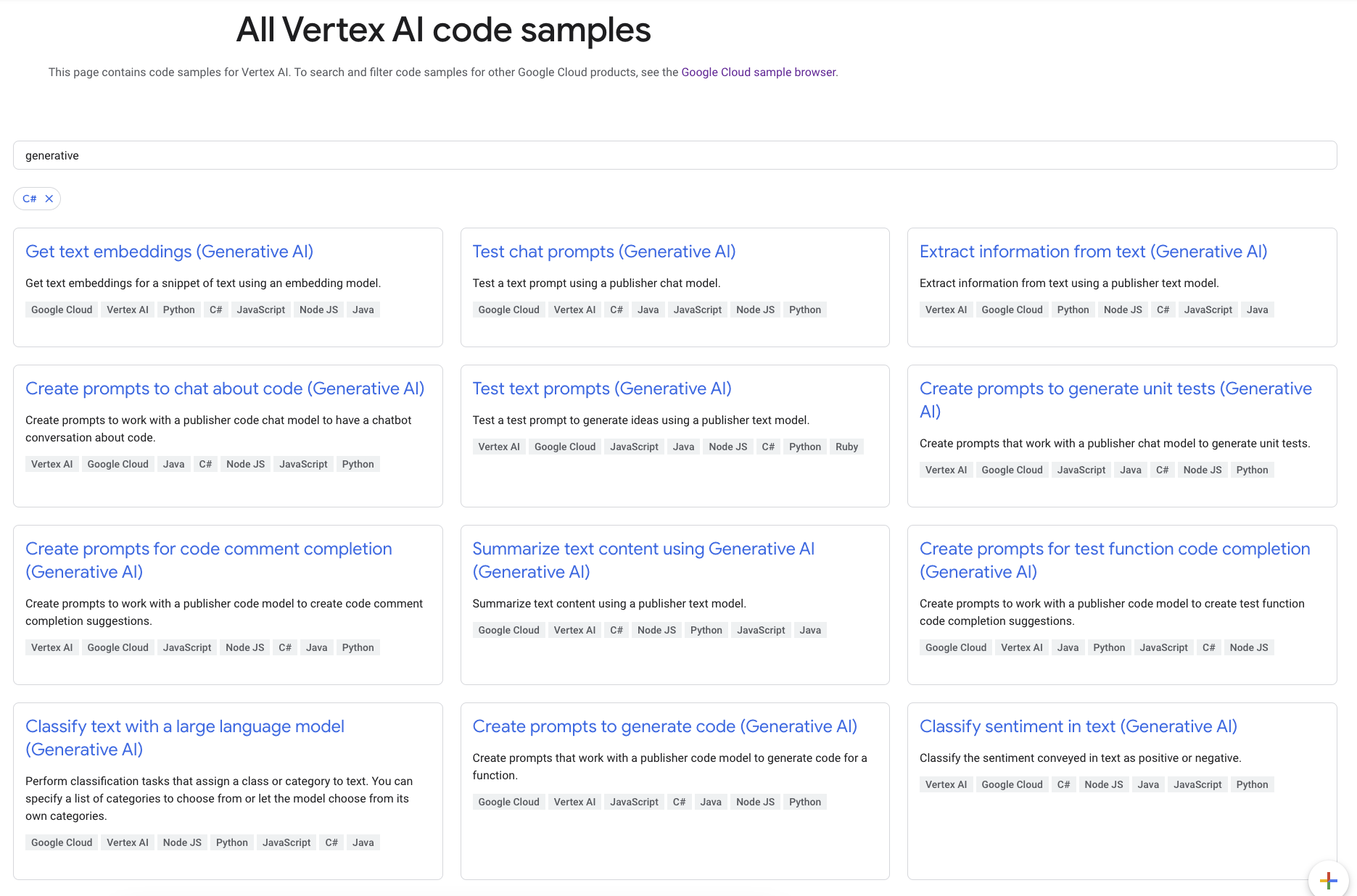
These samples show how to invoke GenAI from C# for different use cases such as
text classification, extraction, summarization, sentiment analysis and more
using the C# client library. If you want to learn more about these samples, keep
reading.
## REST API and C# client library for Vertex AI
As I mentioned in my previous post, Vertex AI has a REST API and it’s pretty
straightforward to use this REST API from C#. Here is an example C# [console
app](https://github.com/meteatamel/genai-samples/blob/main/vertexai/palm2-text/console/csharp/rest/Program.cs).
The REST API is a good start but you probably expect to use strongly typed
objects to make requests and get responses using a client library. C# has an
auto-generated client library:
[Google.Cloud.AIPlatform.V1](https://cloud.google.com/dotnet/docs/reference/Google.Cloud.AIPlatform.V1/latest).
This client library takes care of authentication and gives you some strongly
typed classes to work with. However, they are auto-generated and not as
idiomatic. It also uses protobuf and you need to know how to construct the right
protobuf which can be unintuitive.
There are a lot of classes in this library but the one that’s relevant for GenAI
is called
[PredictionServiceClient](https://cloud.google.com/dotnet/docs/reference/Google.Cloud.AIPlatform.V1/latest/Google.Cloud.AIPlatform.V1.PredictionServiceClient).
This is the main class you’d use to interact with a number of VertexAI models.
Let’s take a look at a couple of them.
## Generate text
For example, in [PredictTextPrompt.cs](https://github.com/GoogleCloudPlatform/dotnet-docs-samples/blob/HEAD/aiplatform/api/AIPlatform.Samples/PredictTextPrompt.cs) sample, you can generate some text based on a prompt using PredictionServiceClient as follows:
```csharp
public string PredictTextPrompt(
string projectId = "your-project-id",
string locationId = "us-central1",
string publisher = "google",
string model = "text-bison@001"
)
{
var client = new PredictionServiceClientBuilder
{
Endpoint = $"{locationId}-aiplatform.googleapis.com"
}.Build();
var endpoint = EndpointName.FromProjectLocationPublisherModel(projectId, locationId, publisher, model);
var prompt = "Give me ten interview questions for the role of program manager.";
var instanceValue = Value.ForStruct(new()
{
Fields =
{
["prompt"] = Value.ForString(prompt)
}
});
var instances = new List
{
instanceValue
};
var parameters = Value.ForStruct(new()
{
Fields =
{
{ "temperature", new Value { NumberValue = 0.2 } },
{ "maxOutputTokens", new Value { NumberValue = 256 } },
{ "topP", new Value { NumberValue = 0.95 } },
{ "topK", new Value { NumberValue = 40 } }
}
});
var response = client.Predict(endpoint, instances, parameters);
var content = response.Predictions.First().StructValue.Fields["content"].StringValue;
Console.WriteLine($"Content: {content}");
return content;
```
As you can see, the way you construct the protobuf for the client library and
the way you parse the response is a little unintuitive for C# but it works.
## Generate code
If you want to generate code instead, the code looks very similar in
[PredictCodeGenerationFunctionSample.cs](https://github.com/GoogleCloudPlatform/dotnet-docs-samples/blob/HEAD/aiplatform/api/AIPlatform.Samples/PredictCodeGenerationFunctionSample.cs):
```csharp
public string PredictFunction(
string projectId = "your-project-id",
string locationId = "us-central1",
string publisher = "google",
string model = "code-bison@001")
{
var client = new PredictionServiceClientBuilder
{
Endpoint = $"{locationId}-aiplatform.googleapis.com"
}.Build();
var endpoint = EndpointName.FromProjectLocationPublisherModel(projectId, locationId, publisher, model);
var instances = new List
{
Value.ForStruct(new()
{
Fields =
{
["prefix"] = Value.ForString("Write a C# function that checks if a year is a leap year."),
}
})
};
var parameters = Value.ForStruct(new()
{
Fields =
{
{ "temperature", new Value { NumberValue = 0.5 } },
{ "maxOutputTokens", new Value { NumberValue = 256 } }
}
});
var response = client.Predict(endpoint, instances, parameters);
var content = response.Predictions.First().StructValue.Fields["content"].StringValue;
Console.WriteLine($"Content: {content}");
return content;
```
The difference is the model, the parameters, and how you parse the response.
## Protobuf vs. JSON
As I already mentioned, it can be challenging to figure out how to construct the
right protobuf for the request. A more intuitive way is to construct a JSON
object and just convert it to protobuf before sending it to the API.
For example, in
[PredictChatPromptSample.cs](https://github.com/GoogleCloudPlatform/dotnet-docs-samples/blob/HEAD/aiplatform/api/AIPlatform.Samples/PredictChatPromptSample.cs),
we construct JSON objects for instance and parameters and then parse them into
protobuf using Value.Parser.ParseJson:
```csharp
// You can construct Protobuf from JSON.
var instanceJson = JsonConvert.SerializeObject(new
{
context = "My name is Miles. You are an astronomer, knowledgeable about the solar system.",
examples = new[]
{
new
{
input = new { content = "How many moons does Mars have?" },
output = new { content = "The planet Mars has two moons, Phobos and Deimos." }
}
},
messages = new[]
{
new
{
author = "user",
content = prompt
}
}
});
var instance = Value.Parser.ParseJson(instanceJson);
// You can construct Protobuf from JSON.
var parametersJson = JsonConvert.SerializeObject(new
{
temperature = 0.3,
maxDecodeSteps = 200,
topP = 0.8,
topK = 40
});
var parameters = Value.Parser.ParseJson(parametersJson);
```
Admittedly, this is more error prone, as you might be constructing the wrong
JSON but it can be more intuitive to the eye, as you work with the code.
---
In this blog post, I summarized the state of C# library and samples for GenAI in
Vertex AI. If you have any questions or feedback, feel free to reach out to me
on Twitter @[meteatamel](https://twitter.com/meteatamel).