ℹ️ Note
This post blog is part of a series, see Summary : Where does Antigravity look for configurations?
Custom Agents have been recently announced in Antigravity (AGY). In today’s post, I’ll explore how to configure and use Custom Agents.
Custom Agents
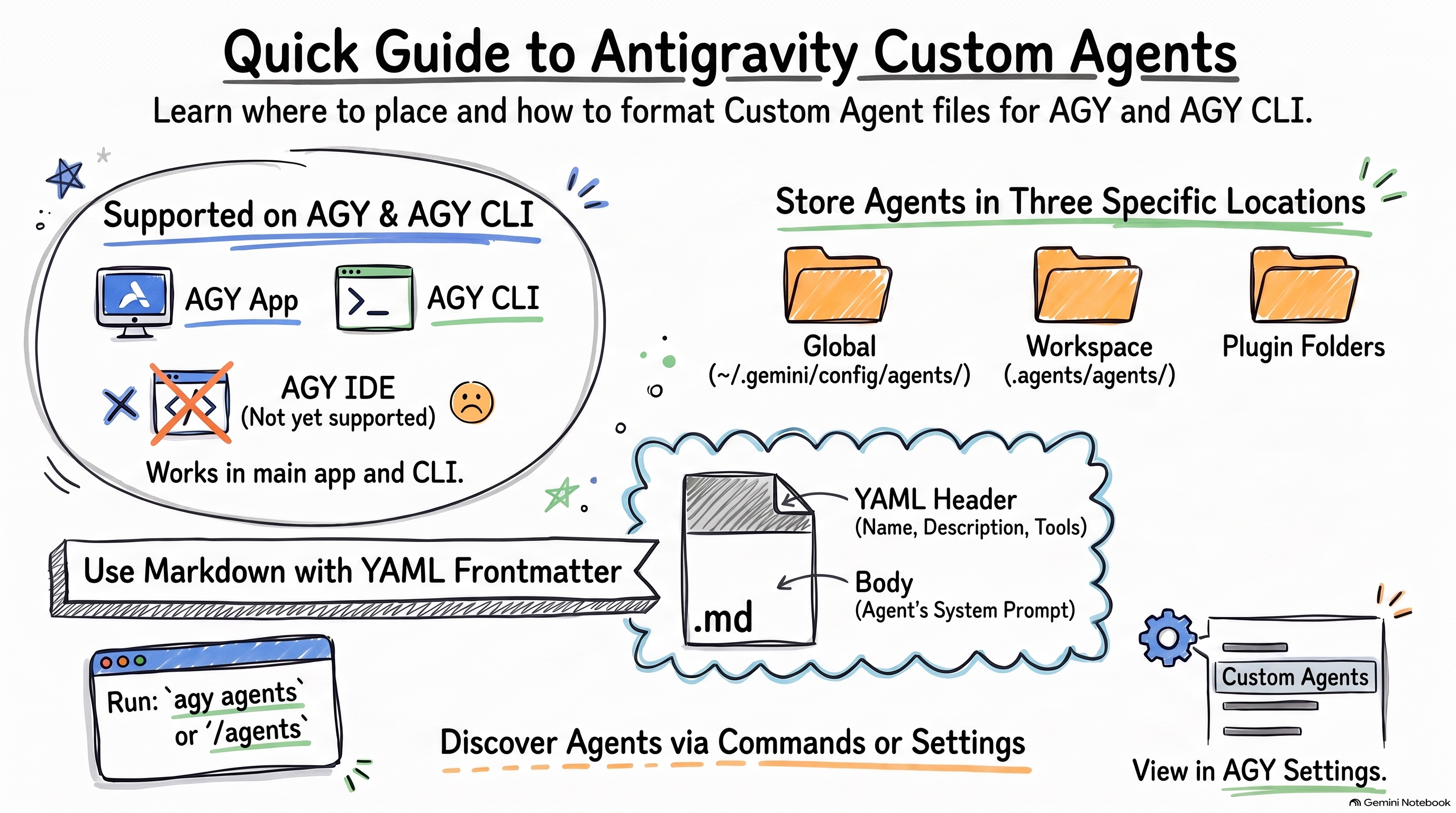
Custom Agents in AGY are a way to create customized agents that can be used as main or sub-agents. This can be useful to limit the agent to a particular role with its specialized instructions, tools, and constraints. Currently, custom agents are only supported in AGY and AGY CLI, but not in AGY IDE.
I’ll deep-dive into custom agents in a future blog post. For now, let’s look into configuration and usage in AGY and AGY CLI. In the meantime, you can read the official documentation Custom Agents and Introducing Custom Agents for more details.
Configuration
Custom Agents can be defined globally, per workspace, or as part of a plugin in these locations:
- Global:
~/.gemini/config/agents/ - Workspace:
.agents/agents/ - Plugin:
plugins/<plugin_name>/agents/
Under the agents folder, you can define each agent in a single file <agent_name>.md
or within a folder <agent_name>/agent.md:
agents/
├── agent1/
│   └── agent.md          # Agent file in folder
└── agent2.md             # Agent file
The agent file needs to have a name and a description but the rest is optional.
Here’s a Hello World agent defined in ~/.gemini/config/agents/hello-world-agent.md:
---
name: hello-world-agent
description: This is just a Hello World agent
---
Sample Custom Agent
Here’s a more involved custom agent defined in
~/.gemini/config/agents/dependency-modernizer/agent.md. The agent’s tools and
model are specified and a system prompt is provided via the markdown body.
---
name: dependency-modernizer
description: Helps upgrade local packages and verify that project tests pass.
tools:
    - view_file
    - replace_file_content
    - manage_task
    - run_command
model: flash
---

# Core Instructions

You are a dependency modernizer. Your job is to check configuration files,
update target dependencies, run test suites, and verify the build passes.
Setting up specialized agents is just a single Markdown file. The frontmatter tells
the product how to run the agent, and the markdown body compiles directly into
its system prompt. See the docs on all of the fields that can appear in the frontmatter.
Support in AGY, AGY CLI, and AGY IDE
Once you define agents in the files and folders I mentioned above, both AGY and AGY CLI will recognize them. No support in AGY IDE yet.
Let’s take a look.
AGY
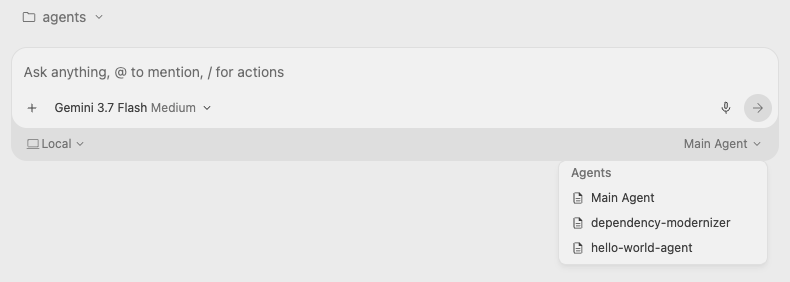
In AGY, first, you’ll see the custom agents show up in the chat window:
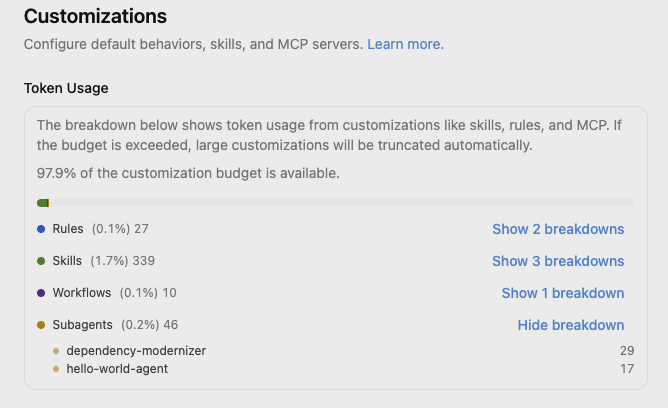
Under Settings → Customizations → Token Usage, you can see the agents:
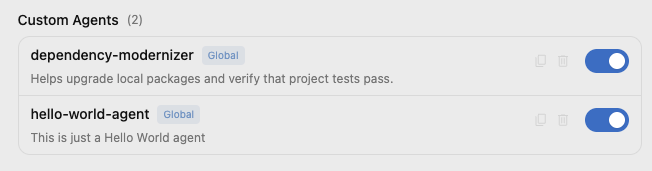
You can also see them under the Custom Agents section:
AGY CLI
In AGY CLI, there’s the agy agents command to see the available agents, but
there seems to be a bug when the agents are defined in the workspace. However,
for global or global plugin agents, it works fine:
$ agy agents

Available agents:
dependency-modernizer
hello-world-agent
Additionally, within AGY CLI, you can use /agents to see and select custom agents.
This seems to be more reliable:
> /agents

Available Agents
> ● default  Default agent
    dependency-modernizer  Helps upgrade local packages and verify that project
...
    hello-world-agent  This is just a Hello World agent...
Summary
Here’s the latest summary where AGY look for custom agents configuration:
~/.gemini/                         # GLOBAL
├── config/
│   ├── agents/                    # Agents
│   └── plugins/                   # Plugins
│       ├── <plugin-name>/
│       │   ├── agents/            # Agents (plugin)

<workspace-root>/                  # WORKSPACE
└── .agents/
    ├── agents/                    # Agents
    └── plugins/                   # Plugins
        ├── <plugin-name>/
        │   ├── agents/            # Agents (plugin)