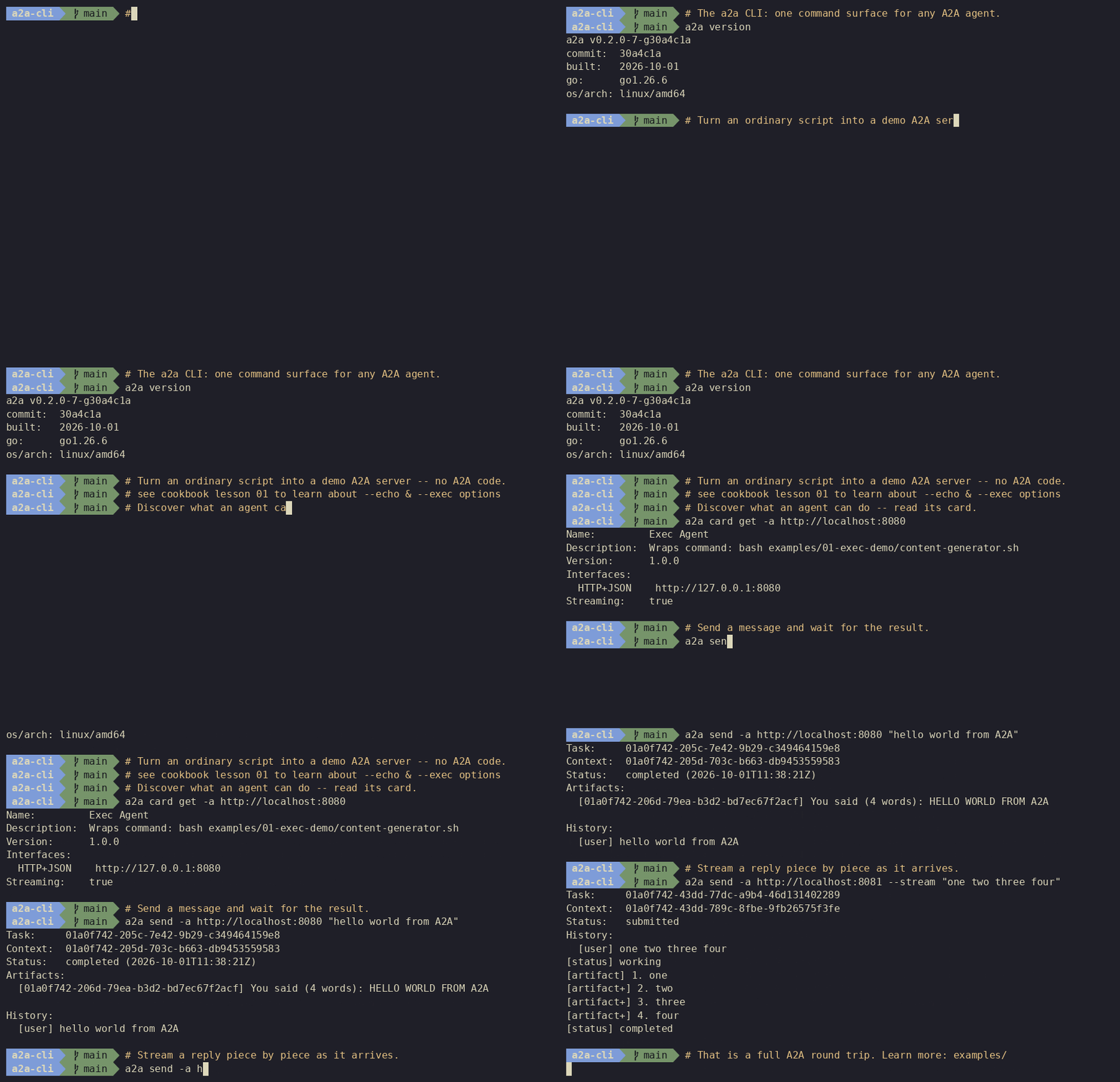
In my Agent Protocols - MCP, A2A, A2UI, AG-UI post, I provided a high-level overview of the main agent protocols, including the Agent2Agent (A2A) Protocol. When building an A2A server, you need an easy way to test that its agent card is published properly and that it responds to messages as expected.
Traditionally, you either had to write a custom client script using the A2A SDK or clone and run the web-based
A2A Inspector. Recently, the A2A project released the official
A2A CLI (a2a) tool, which makes testing A2A agents as simple as running a
single terminal command. Even better, it includes a built-in server mode to spin up test agents or wrap existing scripts
as A2A servers.
In this post, I’ll introduce A2A CLI and show how to use it with the updated A2A v1.0 samples in my genai-beyond-basics repository.
What is A2A CLI?
A2A CLI (a2a) is the official command-line client and server tool for the A2A protocol (built on the A2A v1.0
specification):
- Terminal Client (
a2a card get,a2a send,a2a task): Discover agent cards, send messages, stream real-time task updates (--stream), and output JSON/JSONL (-o json,-o jsonl) for shell pipelines. - Built-in Server (
a2a server): Spin up a zero-code echo agent (--echo), wrap any script or executable into an A2A agent (--exec), or run a debugging proxy in front of an upstream agent (--proxy). - AI Coding Assistant Skill (
a2a skill): Outputs a bundledSKILL.mdthat teaches AI coding assistants (like Antigravity, Gemini CLI, or Claude Code) how to discover and delegate tasks to remote A2A agents.
On macOS or Linux, you can install it via Homebrew:
brew tap a2aproject/a2a-cli https://github.com/a2aproject/a2a-cli
brew install a2a
Or install it from source using Go:
go install github.com/a2aproject/a2a-cli@latest
mv "$(command -v a2a-cli)" "$(dirname "$(command -v a2a-cli)")/a2a"
Testing Existing A2A Agents with A2A CLI
Let’s first see how A2A CLI simplifies testing the existing A2A servers in my repository (which I also recently updated to the latest A2A v1.0 SDKs).
Echo Agent (Python & C#)
In my echo-agent sample,
I have a barebones Echo Agent implemented in both Python (a2a-sdk) and C# (A2A .NET SDK) running on port 5209.
Start the Python Echo Agent server:
python __main__.py
Or start the C# Echo Agent server:
cd A2AAgent
dotnet run
Previously, you had to run a2a_client.py (or the C# A2AClient project) or spin up A2A Inspector in the browser
just to verify the server. With A2A CLI, you can inspect the agent card directly from your terminal:
a2a card get http://localhost:5209
You should see the agent’s metadata, supported interfaces, and skills:
Name:         Echo Agent
Description:  An agent that will echo every message it receives.
Version:      1.0.0
Interfaces:
  JSONRPC      http://localhost:5209
Streaming:    true
Skills:
  echo                 Echo tool
Next, send a message to the agent:
a2a send -a http://localhost:5209 "Hello from the A2A CLI"
[agent] Echo: Hello from the A2A CLI
ADK Currency Agent
You can also use A2A CLI to test Agent Development Kit (ADK) agents
exposed over A2A. In my adk/currency
sample, a currency_agent uses a tool (convert_currency) to fetch live exchange rates from the Frankfurter API and
exposes itself as an A2A server via ADK’s to_a2a() utility:
root_agent = Agent(
    name="currency_agent",
    model="gemini-3.5-flash",
    description="Agent to convert from one currency to another.",
    instruction=instruction_prompt,
    tools=[convert_currency],
)

# Expose the agent over A2A protocol locally
a2a_app = to_a2a(root_agent, host="localhost", port=int(os.getenv("PORT", "8080")))
Start the ADK A2A server locally:
uvicorn agent:a2a_app --host localhost --port 8080
Instead of needing a second ADK agent (like travel_helper) just to test currency_agent, you can query its agent card
and send a conversion request straight from the CLI:
a2a card get http://localhost:8080
Name:         currency_agent
Description:  Agent to convert from one currency to another.
Version:      0.0.1
Interfaces:
  JSONRPC      http://localhost:8080
Streaming:    true
Skills:
  currency_agent       model
  currency_agent-convert_currency convert_currency
Send a currency conversion prompt:
a2a send -a http://localhost:8080 "How much is 1 GBP in EUR?"
Notice how A2A CLI displays the full A2A task lifecycle, including the resulting artifact and the tool call history:
Task:     598a1dce-f628-45cc-bbe0-305a639ffc02
Context:  8e770de5-beb6-4a48-8c43-9e0736b696bf
Status:   completed (2026-10-19T15:29:30Z)
Artifacts:
  [93ef7de9-fb90-4b19-a4e3-aadc07c057ab] 1 British Pounds (GBP) = 1.1876 Euros (EUR)
History:
  [user] How much is 1 GBP in EUR?
  [agent] {"args":{"from_currency":"GBP","to_currency":"EUR"},"id":"call_2821308","name":"convert_currency"}
  [agent] {"id":"call_2821308","name":"convert_currency","response":{"result":1.1876}}
  [agent] 1 British Pounds (GBP) = 1.1876 Euros (EUR)
Beyond Testing: a2a server Mode
While A2A CLI is great as a client, its a2a server command is equally useful for testing and prototyping. You can
find all of these examples in the new a2a-cli
folder in my repo.
1. Zero-Code Echo Server (--echo)
If you are building an A2A client and just need a quick A2A endpoint to test against, you don’t need to write any Python
or C# code at all. Run a2a server --echo:
a2a server --echo --port 8080 --name "Echo Agent" --description "An agent that echoes messages back."
Then test it with a2a send:
a2a send -a http://localhost:8080 "Hello from A2A CLI"
2. Turn Any Script into an A2A Agent (--exec)
With --exec, a2a server wraps any command or script as an A2A-compliant agent. Incoming message text is piped to
stdin, and stdout becomes the response artifact.
For example, here’s a plain Python script (word_processor.py)
that knows nothing about A2A:
import sys
import time

def main():
    text = sys.stdin.read().strip()
    words = text.split()
    for i, word in enumerate(words, 1):
        print(f"[{i}/{len(words)}] {word.upper()}", flush=True)
        time.sleep(0.3)

if __name__ == "__main__":
    main()
Expose it as a streaming A2A server by passing --exec and splitting chunks on newlines with --chunk=$'\n':
a2a server --exec "python3 -u word_processor.py" \
  --chunk=$'\n' \
  --port 8080 \
  --name "Word Processor Agent" \
  --description "Streams words in uppercase."
Now call it with --stream to watch the ArtifactUpdateEvent chunks arrive in real time:
a2a send -a http://localhost:8080 --stream "hello agent world"
Task:     01a154c9-bf34-7bb0-b949-f632a913ca5e
Context:  01a154c9-bf34-7cb2-b457-904e4dd2ed6e
Status:   submitted
History:
  [user] hello agent world
[status] working
[artifact] [1/3] HELLO
[artifact+] [2/3] AGENT
[artifact+] [3/3] WORLD
[status] completed
3. Debugging Traffic with Proxy Mode (--proxy)
Finally, if you want to inspect traffic between two A2A agents or inject headers, you can put a2a server --proxy in
front of any upstream A2A server:
a2a server --proxy -a http://localhost:8080 --port 9090
Any requests sent to http://localhost:9090 will be logged to the terminal and forwarded to the upstream agent on port
8080.
Wrapping up
A2A CLI is a must-have utility in your belt if you’re working with the A2A protocol — whether you’re quickly sanity-checking an agent card, debugging task streams in the terminal, or wrapping a local script into an A2A server.
For more details, check out the following resources:
- Docs: A2A CLI Command Reference
- Sample: A2A Samples (Python, C#, ADK, and A2A CLI)
- Presentation: Agent2Agent (A2A) Protocol