ℹ️ Note
This post blog is part of a series, see Summary : Where does Antigravity look for configurations?
Sidecars are a less known feature of Antigravity (AGY) with limited samples and documentation but still worth knowing about and that’s the topic of today’s post.
Sidecars
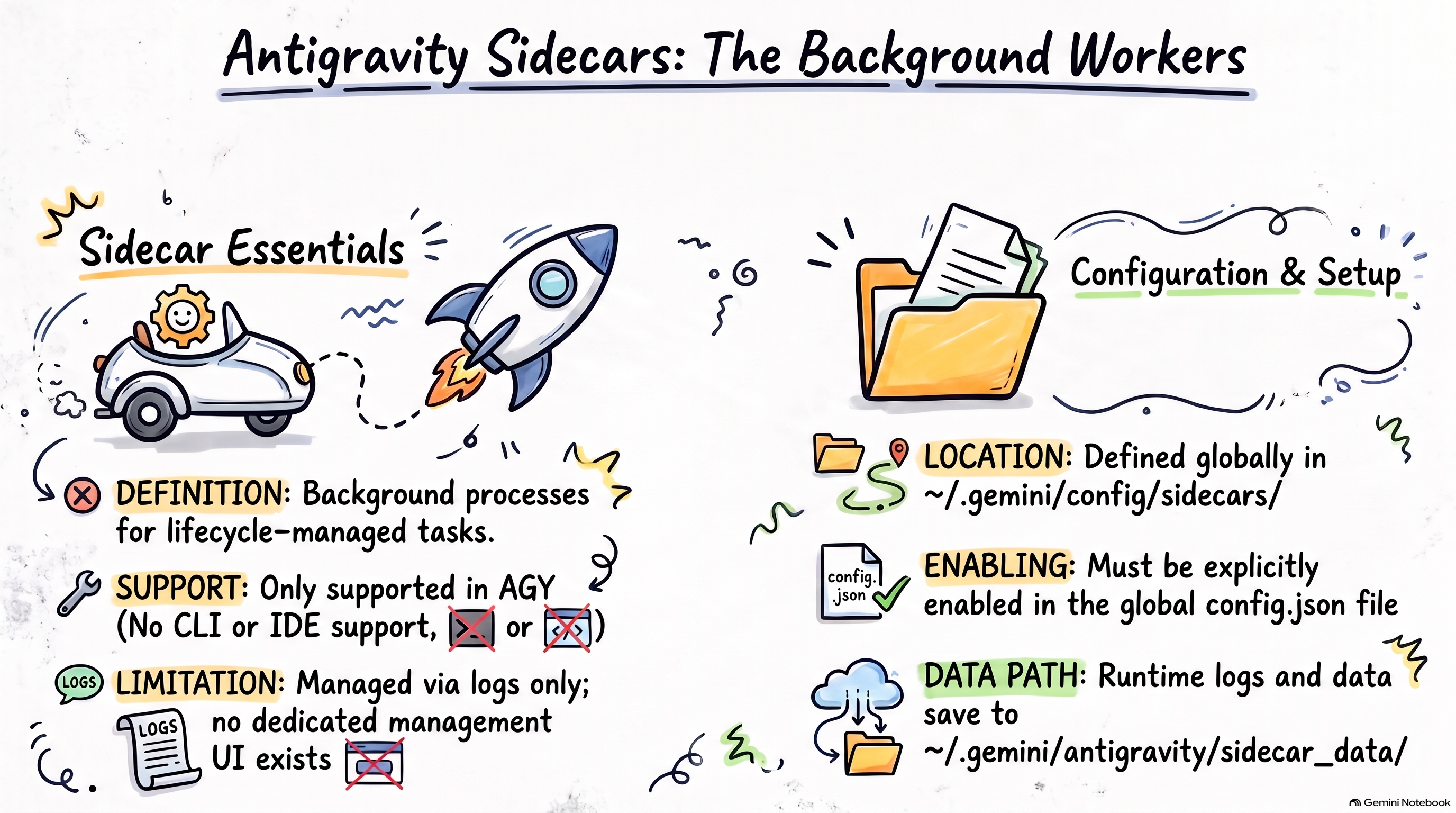
Sidecars are background processes that can run alongside AGY with their lifecycle managed by AGY. They can be useful to run background scripts (e.g. sending telemetry data) or recurring tasks that you want to run on a schedule (e.g. summarize across sessions).
As of today, Sidecars are only supported in AGY (not supported in AGY CLI and AGY IDE). Additionally, there’s no UI to managed sidecars in AGY. Your only option is to register a sidecar and watch its logs to see if it’s working.
Configuration
Sidecars can only be defined globally (not per workspace) in this location:
-Global: ~/.gemini/config/sidecars/
Under this folder, you define each sidecar with its own configuration and any scripts they might need:
~/.gemini/config/sidecars/
├── sidecar1/
│   ├── sidecar.json
└── sidecar2/
    ├── sidecar.json
    └── script.py
Once a sidecar is defined, it also needs to be enabled in ~/.gemini/config/config.json.
Runtime data produced by sidecars are stored in ~/.gemini/antigravity/sidecar_data/<sidecar_id>/.
We’ll look at some configuration samples below.
Sidecar samples
Let’s look at some hello world sidecar samples.
HelloWorld sidecar
The simple possible sidecar is just a command that runs and prints hello world.
Create ~/.gemini/config/sidecars/sidecar1/sidecar.json with a command:
{
  "command": "echo",
  "args": ["hello world"],
  "restart_policy": "on-failure",
  "description": "Hello World test sidecar",
  "display_name": "Hello World Sidecar"
}
Then, enable it in ~/.gemini/config/config.json:
{
  "sidecars": {
    "sidecar1": {
      "enabled": true
    }
  }
}
In a few seconds, you should see “hello world” logged under .gemini/antigravity/sidecar_data/sidecar1/logs.
Sidecar with a script
Of course, you can also run scripts with your sidecar.
Create ~/.gemini/config/sidecars/sidecar2/sidecar.json that with a command that runs a Python script:
{
  "command": "python3",
  "args": ["main.py"],
  "restart_policy": "on-failure",
  "description": "Hello World test sidecar",
  "display_name": "Hello World Sidecar"
}
Create a long running Python script in ~/.gemini/config/sidecars/sidecar2/main.py:
import sys
import time
from datetime import datetime, timezone


def log(message):
    now = datetime.now(timezone.utc).isoformat()
    print(f"[{now}] {message}", flush=True)


def main():
    log("Hello World sidecar started")
    while True:
        log("Hello World from sidecar!")
        time.sleep(10)


if __name__ == "__main__":
    try:
        main()
    except:
        log("Hello World sidecar stopped")
        sys.exit(0)
Then, enable it in ~/.gemini/config/config.json:
{
  "sidecars": {
    "sidecar1": {
      "enabled": false
    },
    "sidecar2": {
      "enabled": true
    }
  }
}
You should see logs under .gemini/antigravity/sidecar_data/sidecar2/logs:
[2026-08-13T14:01:14.981355+00:00] Hello World sidecar started
[2026-08-13T14:01:14.981731+00:00] Hello World from sidecar!
[2026-08-13T14:01:24.986902+00:00] Hello World from sidecar!
[2026-08-13T14:01:34.991204+00:00] Hello World from sidecar!
[2026-08-13T14:01:44.988893+00:00] Hello World from sidecar!
[2026-08-13T14:01:54.883584+00:00] Hello World sidecar stopped
Recurring sidecars
You can also have sidecars that run on a schedule.
Create ~/.gemini/config/sidecars/sidecar3/sidecar.json that uses the builtin
schedule sidecar:
{
  "builtin": "schedule",
  "args": [
    "* * * * *",
    "echo",
    "hello world"
  ]
}
Then, enable it in ~/.gemini/config/config.json:
{
  "sidecars": {
    "sidecar1": {
      "enabled": false
    },
    "sidecar2": {
      "enabled": false
    },
    "sidecar3": {
      "enabled": true
    }
  }
}
You should see scheduler logs under .gemini/antigravity/sidecar_data/sidecar3/logs
ERROR: logging before google.Init: I0813 15:06:34.941060       1 schedule.go:103] [schedule] Scheduler started for schedule: "* * * * *"
ERROR: logging before google.Init: I0813 15:06:34.941168       1 schedule.go:114] [schedule] Calculated jitter: 1.902159314s
ERROR: logging before google.Init: I0813 15:06:34.941183       1 schedule.go:70] [schedule] Next execution scheduled in 25s (at 2026-08-13 14:07:00 UTC), will run by 2026-08-13 14:08:01 UTC
ERROR: logging before google.Init: I0813 15:07:34.941977       1 schedule.go:155] [schedule] Triggering command: "echo" [hello world]
ERROR: logging before google.Init: I0813 15:07:34.942298       1 schedule.go:70] [schedule] Next execution scheduled in 25s (at 2026-08-13 14:08:00 UTC), will run by 2026-08-13 14:09:01 UTC
hello world
ERROR: logging before google.Init: I0813 15:07:34.960431      36 schedule.go:175] [schedule] Command completed successfully
They’re logged under ERROR for some reason.
Sidecars with agentapi
Documentation talks about
sidecars that can use the agentapi CLI to programmatically interact with AGY,
with new-conversation and send-message. For example:
{
  "description": "Hourly agent to triage review requests.",
  "builtin": "schedule",
  "args": [
    "0 * * * *",
    "agentapi",
    "new-conversation",
    "Give me a summary of incoming review requests."
  ]
}
However, I couldn’t get agentapi to work from a sidecar.
ℹ️ Note
If you have a sidecar example that works with
agentapior any real-world use cases for sidecars, let me know!
Summary
Here’s a summary of sidecar related configurations in AGY:
~/.gemini/                         # GLOBAL
├── config/
│   ├── config.json                # Config to enable sidecars
│   └── sidecars/                  # Sidecars
|
├── antigravity/                   # AGY
│   └── sidecar_data/              # Sidecar runtime data
See also
- Antigravity Plugin Marketplace in Action: Auditing My Talk Slides with the Google Slides Plugin
- Testing and Serving A2A Agents from the Terminal with A2A CLI
- Google Chat Unread Messages Brief with Workspace Studio and Gemini
- Setting Up an Antigravity Workspace for Multiple Conversations
- 6 Years of Tech Debt, 1 Prompt: Modernizing a Legacy App with Gemini 4