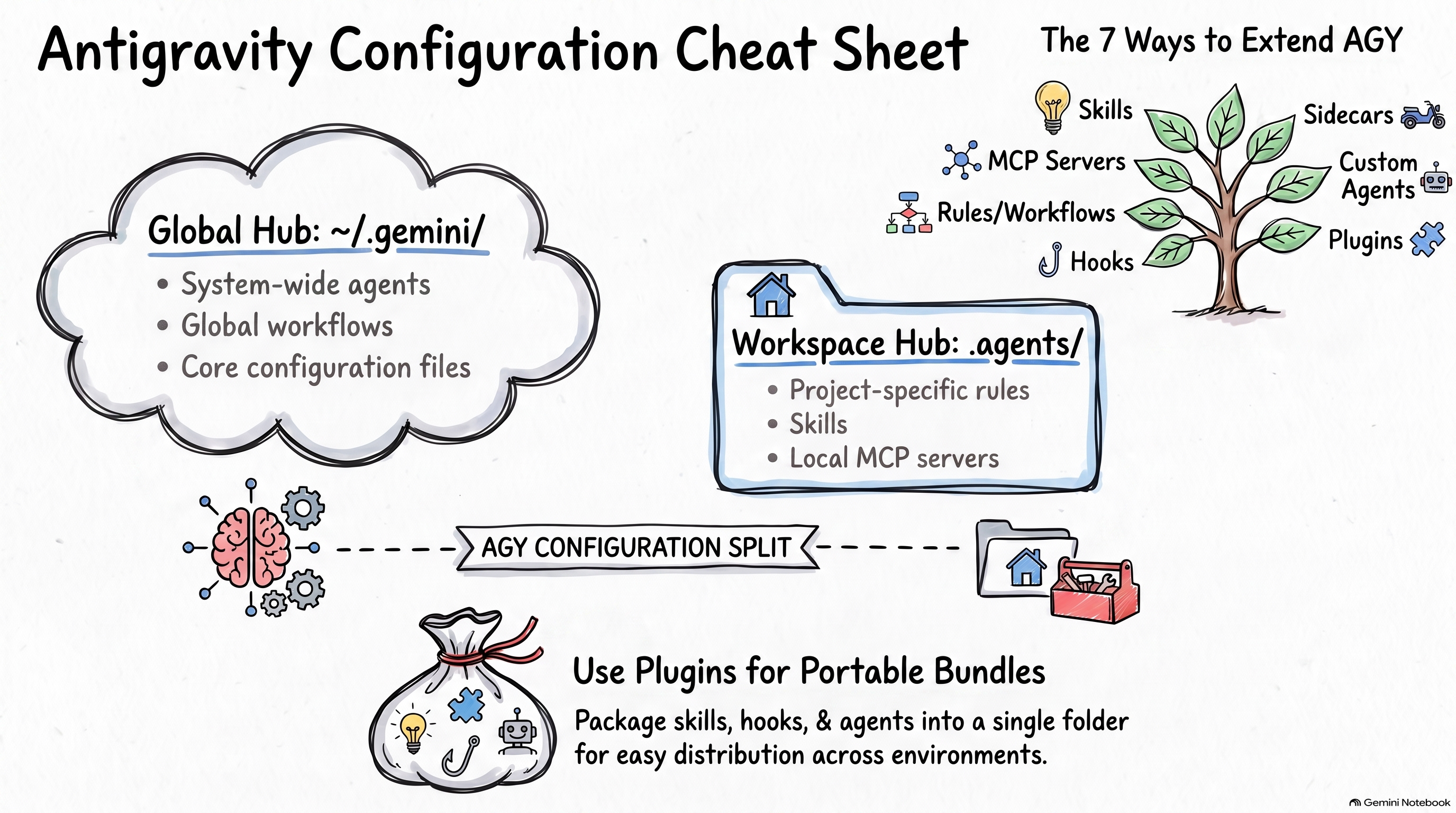
💡 This post is the concluding summary of a series on Antigravity configuration:
Over the past few weeks, I explored the ways to configure and extend Google Antigravity (AGY). What started as a simple exploration into agent skills quickly grew into a journey uncovering MCP servers, rules, workflows, lifecycle hooks, background sidecars, custom agents, and plugins.
Because Antigravity comes in three flavours (AGY, AGY CLI, and AGY IDE), and spans multiple configuration scopes (workspace, global, and plugin bundles), keeping track of what goes where can be challenging.
In this post, I’ll bring everything together into a single, comprehensive reference guide and cheat sheet.
Ways to Extend Antigravity
Here is a quick summary of what each customization mechanism is designed for:
- Skills: Specialized folders containing instructions, scripts, and reference documents that give agents on-demand capabilities for complex workflows.
- MCP Servers: External tool integrations using the Model Context Protocol standard to connect to databases, APIs, and cloud services.
- Rules and Workflows:
- Rules: Always-on or triggered behavioral guidelines and coding standards (system-level instructions).
- Workflows: User-triggered prompt templates executed on demand.
- Hooks: Synchronous lifecycle event listeners that run scripts to enforce policies, add context, or log telemetry.
- Sidecars: Autonomous background processes managed by AGY for long-running services, asynchronous listeners, or recurring schedules.
- Custom Agents: Tailored agent personas with restricted tool sets, specialized system prompts, and dedicated models for specific subtasks.
- Plugins: Distribution bundles packaging skills, MCP servers, rules, hooks, and custom agents together into a single distributable unit.
Directory Hierarchy
Below is the map of directories and files recognized across Antigravity:
~/.gemini/                         # GLOBAL
├── GEMINI.md                      # Rules
├── config/
│   ├── agents/                    # Agents
│   ├── config.json                # Config to enable sidecars
│   ├── global_workflows/          # Workflows
│   ├── hooks.json                 # Hooks
│   ├── mcp_config.json            # MCP servers
│   ├── plugins/                   # Plugins
│   │   ├── <plugin-name>/
│   │   │   ├── agents/            # Agents (plugin)
│   │   │   ├── hooks.json         # Hooks (plugin)
│   │   │   ├── mcp_config.json    # MCP servers (plugin)
│   │   │   ├── rules/             # Rules (plugin)
│   │   │   └── skills/            # Skills (plugin)
│   ├── sidecars/                  # Sidecars
│   └── skills/                    # Skills
|
├── antigravity/                   # AGY
│   ├── builtin/skills/            # Skills (builtin)
│   ├── mcp/                       # Cached MCP servers
│   └── sidecar_data/              # Sidecar runtime data
|
├── antigravity-cli/               # AGY CLI
│   ├── builtin/skills/            # Skills (builtin)
│   └── mcp/                       # Cached MCP servers
|
└── antigravity-ide/               # AGY IDE
    └── mcp/                       # Cached MCP servers

<workspace-root>/                  # WORKSPACE
└── .agents/
    ├── agents/                    # Agents
    ├── hooks.json                 # Hooks
    ├── mcp_config.json            # MCP servers
    ├── plugins/                   # Plugins
    │   ├── <plugin-name>/
    │   │   ├── agents/            # Agents (plugin)
    │   │   ├── hooks.json         # Hooks (plugin)
    │   │   ├── mcp_config.json    # MCP servers (plugin)
    │   │   ├── rules/             # Rules (plugin)
    │   │   └── skills/            # Skills (plugin)
    ├── rules/                     # Rules
    ├── skills/                    # Skills
    └── workflows/                 # Workflows
Wrapping Up
Antigravity provides a comprehensive and flexible customization options. Check out the individual posts linked above for deeper walk-throughs.