ℹ️ Note
This post blog is part of a series, see Summary : Where does Antigravity look for configurations?
Skills are an open standard for extending agent capabilities. A skill is a folder
containing a SKILL.md file with instructions that the agent can follow when working on specific tasks.
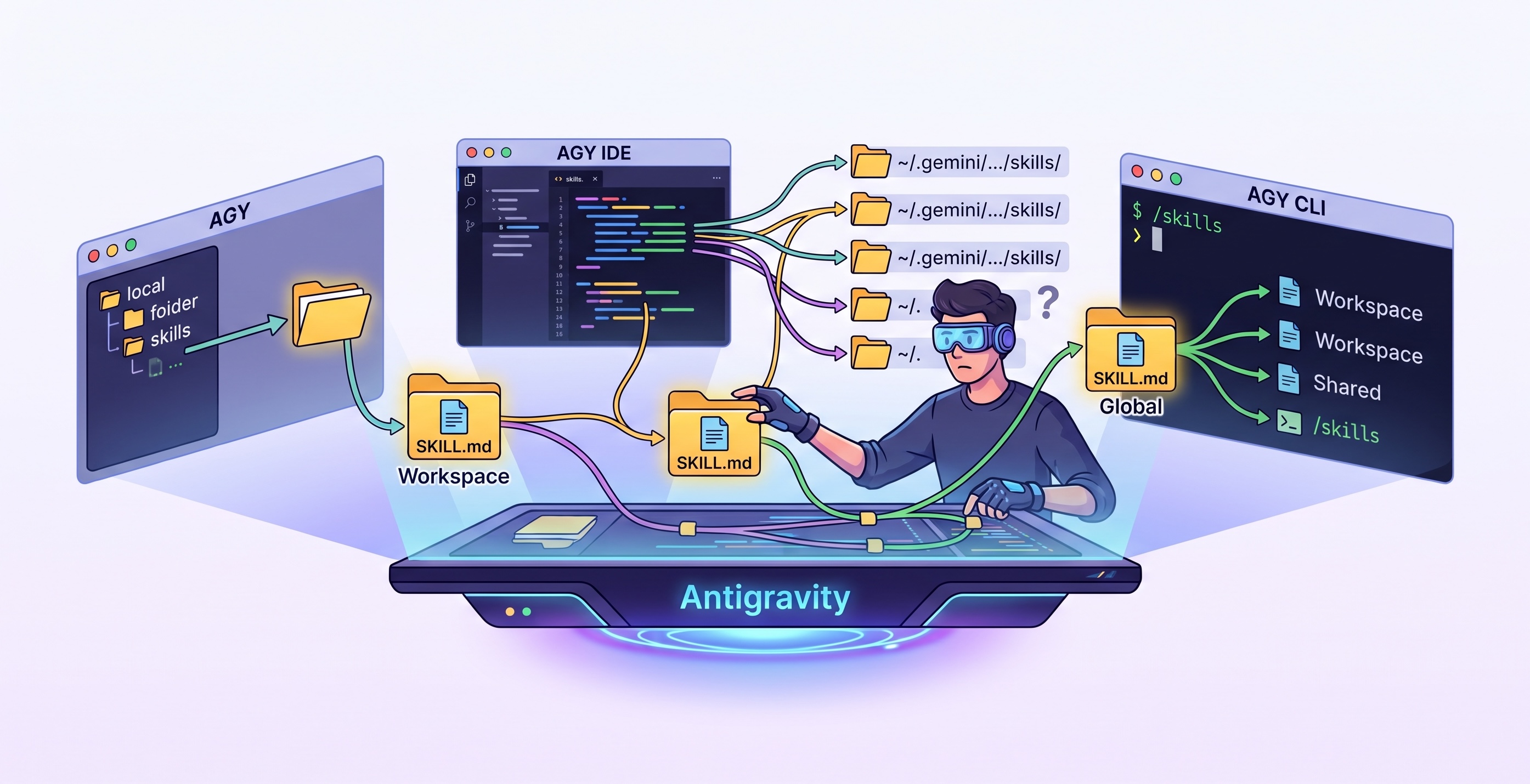
Antigravity (AGY) also supports agent skills, but it’s not obvious at all where to save these skills. This is mainly because:
- AGY has 3 different flavours (AGY, AGY IDE, AGY CLI) that look in slightly different locations for skills.
- AGY has 3 different levels for skills: project/workspace level, product level, and global.
- The documentation seems to be out of date.
In today’s post, I’ll run some experiments to understand where exactly AGY looks for skills in each of its flavours. Along the way, we’ll learn about where AGY saves its state and built-in skills.
In the end, I’ll come up with a recommendation on where to install skills and save you some headache. Jump to the summary section below if you don’t care about the details.
Reset Antigravity
Before I started my experiments, I decided to reset Antigravity to a fresh state. Antigravity has a few locations where it saves its state and configurations. Here are the ones I was aware of and deleted:
rm -rf ~/.gemini/antigravity
rm -rf ~/.gemini/antigravity-cli
rm -rf ~/.gemini/antigravity-ide
rm -rf ~/.antigravity-ide
rm -rf ~/Library/Application\ Support/Antigravity
rm -rf ~/Library/Application\ Support/Antigravity\ IDE
rm -rf ~/Library/Caches/com.google.antigravity-ide*
ℹ️ If you’re aware of other locations for Antigravity state, please let me know in the comments
Documentation
First, let’s look at the current documentation on skills for different flavours of AGY.
AGY
AGY docs on skills: https://antigravity.google/docs/skills
State the following paths:
- Workspace:
<workspace-root>/.agents/skills/<skill-folder> - Global:
~/.gemini/config/skills/<skill-folder>/
This is OK, but it’s not clear what’s meant by a workspace-root. In AGY, one can have multiple folders in a project. Is workspace-root in the project1 folder or the project2 folder or both? We’ll find out.
AGY CLI
AGY CLI docs on skills: https://antigravity.google/docs/cli/plugins#agent-skills
State the following paths:
- Workspace:
<workspace-root>/.agents/skills/<skill-folder> - Global:
~/.gemini/antigravity-cli/skills/<skill-folder>
It’s good that the workspace location is the same as AGY, but now the global path is different from the AGY docs. Which one is correct?
AGY CLI also has a /skills command you can run, and it states:
- Workspace:
<workspace-root>/.agents/skills/<skill-folder> - Global:
~/.gemini/antigravity-cli/skills/<skill-folder> - Shared:
~/.gemini/skills/<skill-folder>
Now, we have a new shared skills location, but it’s not clear at all how it’s different from the global one?
AGY IDE
AGY IDE docs on skills: https://antigravity.google/docs/ide/skills
State the following paths:
- Workspace:
<workspace-root>/.agents/skills/<skill-folder> - Global:
~/.gemini/antigravity/skills/<skill-folder>
Again, the workspace location is the same, but there’s yet another global path different from the previous ones.
Test Setup
It’s time to run some experiments across AGY, AGY CLI, and AGY IDE to see where they look for skills.
First, I created a simple code-review skill from the AGY documentation:
code-review/
└─── SKILL.md
SKILL.md had the following content:
---
name: code-review
description: Reviews code changes for bugs, style issues, and best practices. Use when reviewing PRs or checking code quality.
---

# Code Review Skill

When reviewing code, follow these steps:

## Review checklist

1. **Correctness**: Does the code do what it's supposed to?
2. **Edge cases**: Are error conditions handled?
3. **Style**: Does it follow project conventions?
4. **Performance**: Are there obvious inefficiencies?

## How to provide feedback

- Be specific about what needs to change
- Explain why, not just what
- Suggest alternatives when possible
Then, I moved the code-review folder to different locations and observed if it was recognized by AGY, AGY CLI, and AGY IDE.
For AGY and AGY IDE, I asked Which skills are installed? to see which skills were recognized.
In AGY CLI, I used /skills to list the recognized skills.
Tests
To recap, it looks like we have the following candidates for skill locations:
- Workspace:
<workspace-root>/.agents/skills/<skill-folder> - Global/Shared:
~/.gemini/antigravity/skills/<skill-folder>/~/.gemini/antigravity-cli/skills/<skill-folder>/~/.gemini/config/skills/<skill-folder>/~/.gemini/skills/<skill-folder>
Built-in Skills
As I started running my tests, I realized that there is an antigravity_guide built-in skill in AGY and AGY CLI that
is picked from these locations:
~/.gemini/antigravity/builtin/skills/antigravity_guide
~/.gemini/antigravity-cli/builtin/skills/antigravity_guide
For some reason, this built-in skill is not available in AGY IDE.
Project Skills
All documentation agrees on a workspace/project level skill location. I put the code-review skill in this directory:
<workspace-root>/.agents/skills/code-review
It was recognized by AGY, AGY CLI, and AGY IDE! It’s also worth noting that in AGY, if your project has two folders, you can put the skill in either folder, and it’ll be recognized.
Global Skills
For global skills, I tested all four locations against all three and this is what I got:
| Location | AGY | AGY CLI | AGY IDE |
|---|---|---|---|
~/.gemini/antigravity/skills/code-review/ | ✅ | ❌ | ✅ |
~/.gemini/antigravity-cli/skills/code-review/ | ❌ | ✅ | ✅ |
~/.gemini/config/skills/code-review/ | ✅ | ✅ | ✅ |
~/.gemini/skills/code-review/ | ❌ | ✅ | ✅ |
It looks like ~/.gemini/config/skills/ is the only location recognized by all three. It’s also interesting to note
that AGY IDE exhaustively searches more locations than the others.
Summary
ℹ️ Plugin Skills
Skills can be installed as part of a Plugin as well. This is covered in the Where does Antigravity look for Plugins?
So, where does this leave us? Here’s a summary on where skills are installed:
~/.gemini/                         # GLOBAL
├── config/
│   ├── plugins/                   # Plugins
│   │   └── <plugin-name>/
│   │       └── skills/            # Skills (plugin)
│   └── skills/                    # Skills
│
├── antigravity/                   # AGY
│   └── builtin/skills/            # Skills (builtin)
│
├── antigravity-cli/               # AGY CLI
│   └── builtin/skills/            # Skills (builtin)
│
<workspace-root>/                  # WORKSPACE
└── .agents/
    ├── plugins/                   # Plugins
    │   └── <plugin-name>/
    │       └── skills/            # Skills (plugin)
    └── skills/                    # Skills
Ignore any other paths, as they are AGY, AGY CLI, or AGY IDE specific.
💡 If you’re aware of any other folders for skills, please let me know in the comments.