ℹ️ Note
This post blog is part of a series, see Summary : Where does Antigravity look for configurations?
I’ve been exploring different ways of customizing Antigravity and where it saves its various configuration files. For Agent Skills, see Where does Antigravity look for Agent Skills? and for MCP Servers, see Where does Antigravity look for MCP Servers?.
In today’s post, I’ll revisit Rules and Workflows. Back in November, I blogged about them in Customize Google Antigravity with rules and workflows but a few things changed since then, so let’s do a refresh.
Rules and Workflows
Agent Skills is the industry standard and the primary way nowadays to customize agents, including Antigravity. However, rules and workflows are still supported in various degrees in different flavours of AGY, so it’s still worth knowing about them.
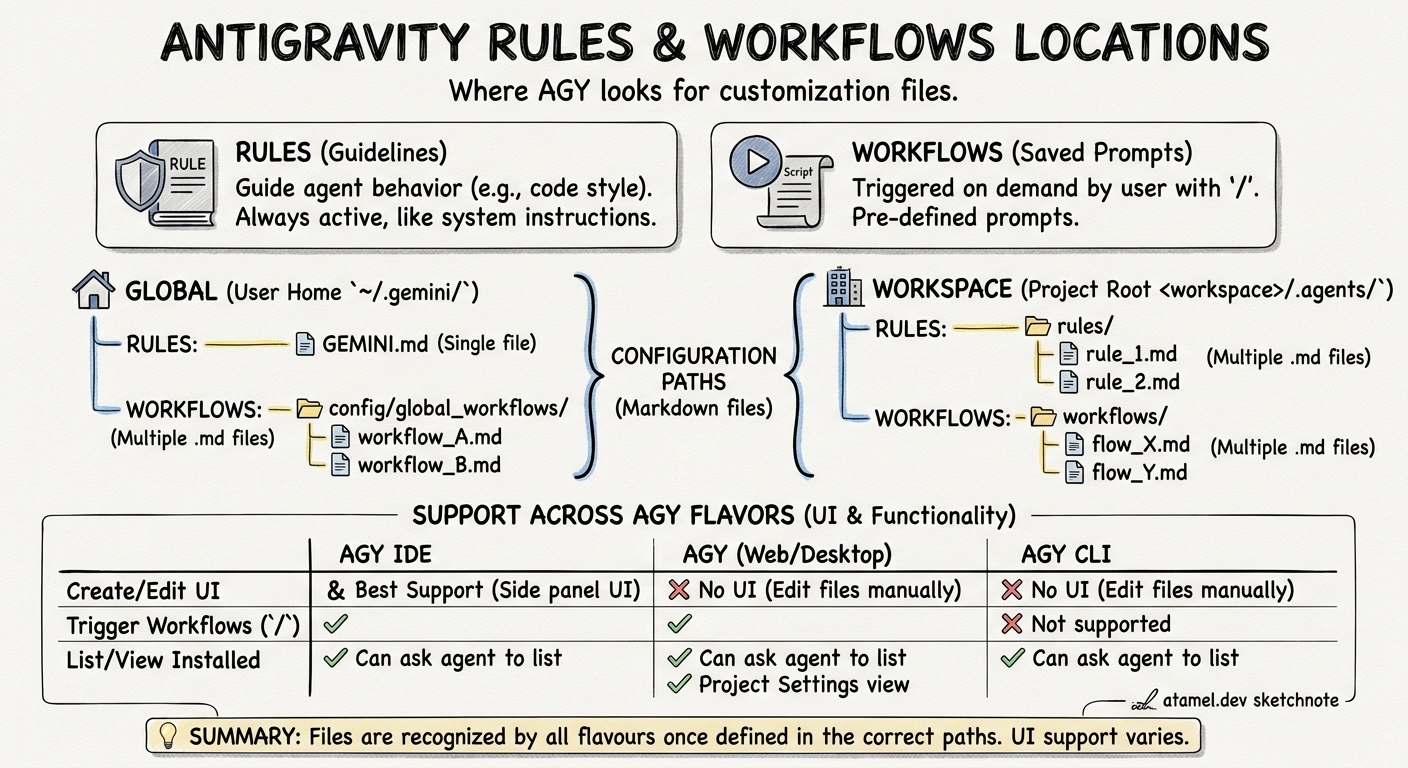
Rules help guide the behavior of the agent. These are guidelines you can provide to make sure the agent follows as it generates code. For example, you might want the agent to follow a certain code style, or to always document methods. You can add these as rules and the agent will take them into account.
Workflows are saved prompts that you can trigger on demand with /, as you
interact with the agent. They are similar to Rules in the sense that they also
guide the behavior of the agent but they’re triggered by the user on demand.
A good analogy is that rules are more like system instructions whereas workflows are more like saved prompts that you can choose on demand.
Configuration
Both rules and workflows can be applied globally or per workspace and currently saved to the following locations for all 3 flavours: AGY, AGY CLI, and AGY IDE.
Rules:
- Workspace:
.agents/rules/ - Global:
~/.gemini/GEMINI.md
Workflows:
- Workspace:
.agents/workflows/ - Global:
~/.gemini/config/global_workflows/
They are simply markdown files. You can have multiple markdown files
for multiple rules and workflows, except the global rule that has a single
GEMINI.md file.
ℹ️ Plugin Rules
Rules (not workflows) can be installed as part of a Plugin as well. This is covered in the Where does Antigravity look for Plugins?
Support in AGY, AGY CLI, and AGY IDE
The good news is that once you define the rules and workflows in the files and folders I mentioned above, all 3 flavours of AGY will recognize them. However, the UI support to add and view them is slightly different in each.
AGY IDE
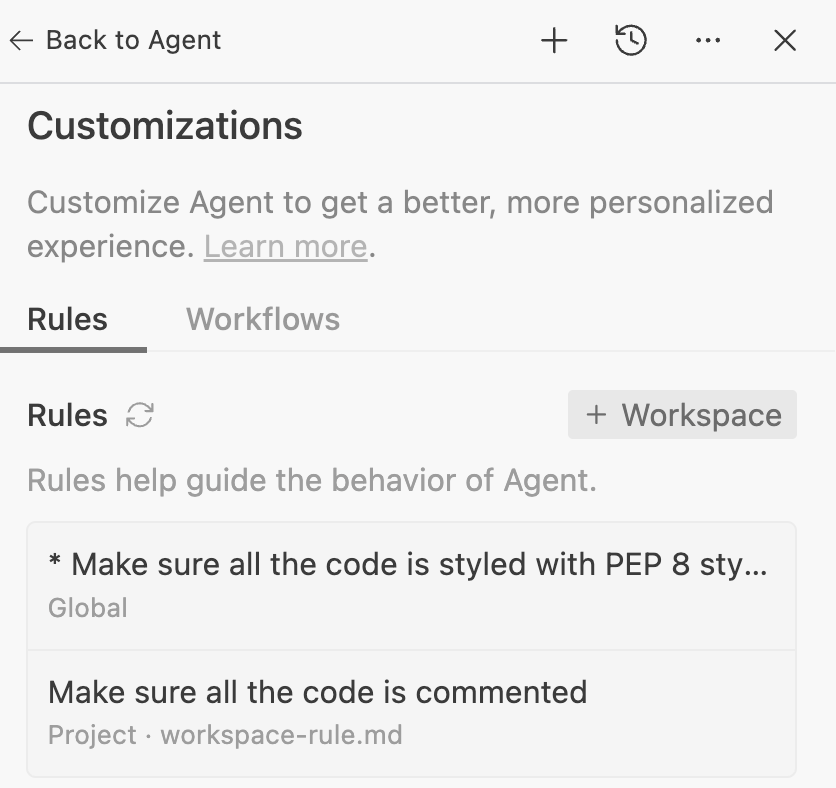
AGY IDE has the best support for rules and workflows. In the agent side panel,
if you go to ... and then Customization, you’ll see rules and workflows. You
can create new rules and workflows from here:
You can also ask the agent: Which rules and workflows are installed? and it
tells you. In our case, we have 1 global and 1 local rule with 1 global and 1
local workflow:
Here are the rules and workflows currently installed:

### Rules

1. **Global Rules**
   * **PEP 8 Styling** (`user_global`)
     * *Instruction*: Make sure all the code is styled with PEP 8 style guide.

2. **Workspace Rules**
   * **Commenting Rule** (defined in [workspace-rule.md](file:///Users/atamel/dev/local/testing/python/.agents/rules/workspace-rule.md))
     * *Trigger*: `always_on`
     * *Instruction*: Make sure all the code is commented.

### Workflows

1. **Global Workflows**
   * **Global Workflow** (located at `/Users/atamel/.gemini/config/global_workflows/global-workflow.md`)
     * *Slash Command*: `/global-workflow`
     * *Description*: Global workflow

2. **Workspace Workflows**
   * **Workspace Workflow** (defined in [workspace-workflow.md](file:///Users/atamel/dev/local/testing/python/.agents/workflows/workspace-workflow.md))
     * *Slash Command*: `/workspace-workflow`
     * *Description*: Workspace-workflow
     * *Instruction*: Comment code
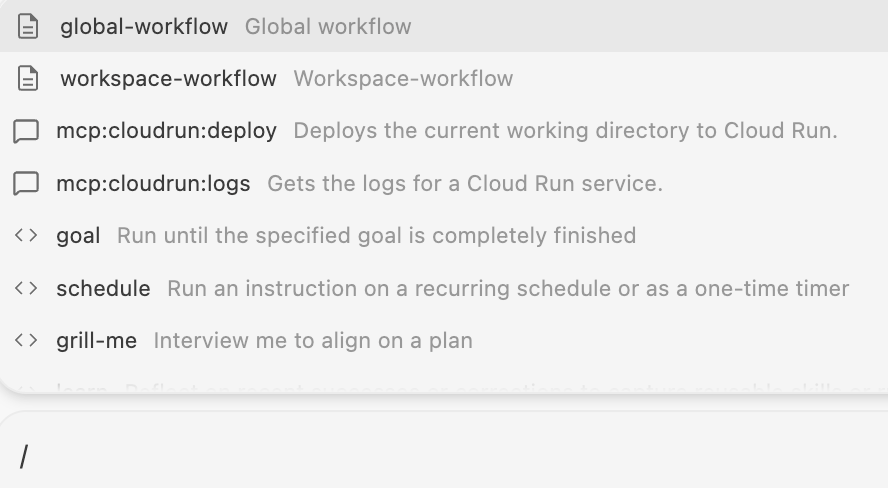
For workflows, you can also see them when you type / in the chat input:
AGY
In AGY, there’s no UI support to add rules and workflows as of today. However, if you have them defined in AGY IDE or manually by editing the files, you can still see them in AGY in a number of ways.
First, you can ask the agent in AGY for installed rules and workflows and it’ll
tell you. Also, you can see the workflows when you type / in the chat. This is
similar to AGY IDE.
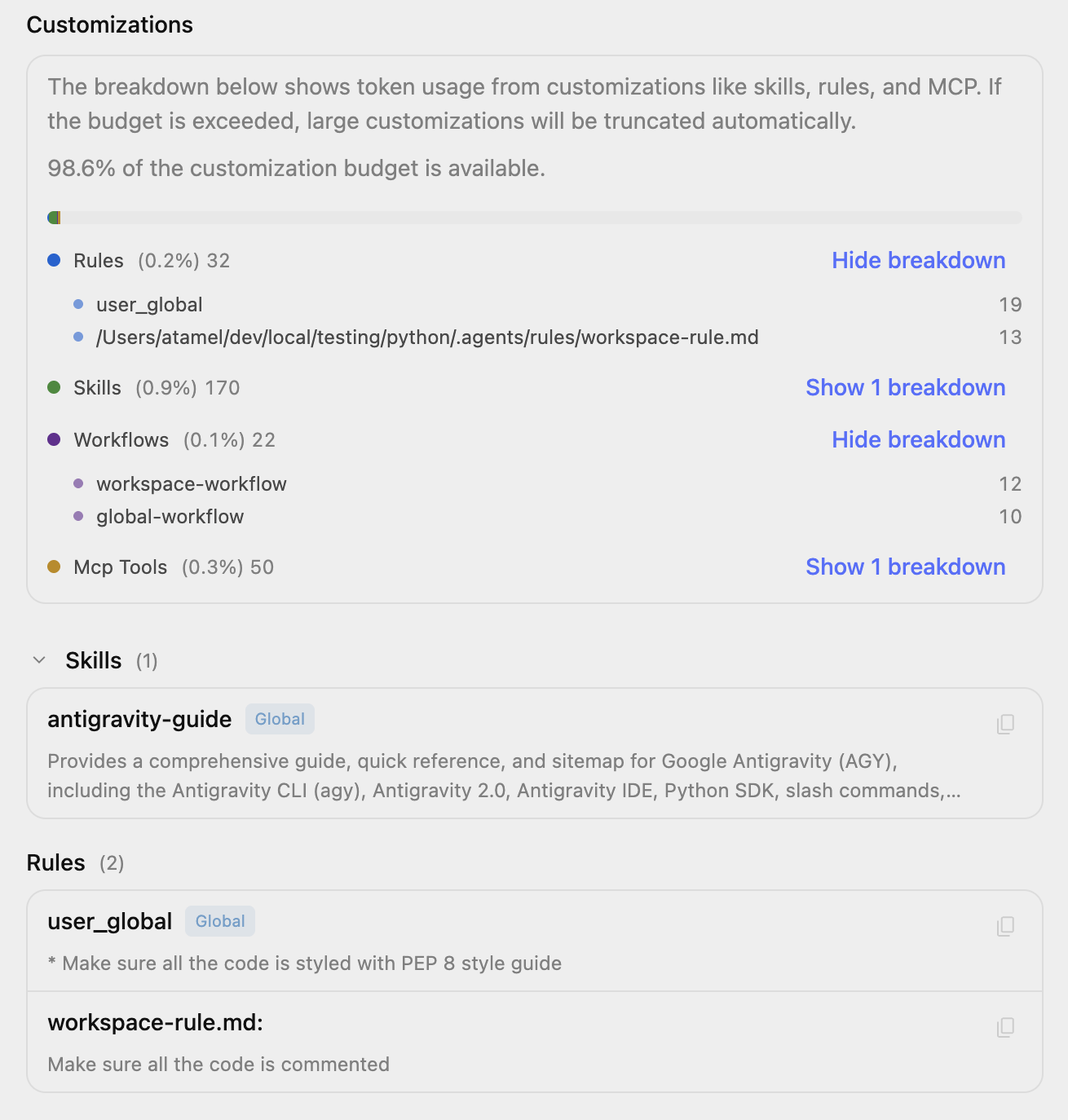
Second, if you go to your project settings and then customizations, you should see the token usage of rules and workflows and also the paths of rules for your project:
ℹ️ In AGY, there’s global settings and project settings.
If you go to global settings via Settings and Customizations, you’ll only see the global rules and workflows. It’s better to go to project and then settings to view both the global and the project level rules and workflows.
AGY CLI
AGY CLI has the least support for rules and workflows. It doesn’t have a way to add or edit rules and workflows. However, you can ask the agent which rules and workflows are installed and it’ll answer:
> which rules and workflows are installed?

  The following rules and workflows are installed:

  ### Rules

  • Global Rule:
      • Make sure all the code is styled with the PEP 8 style guide.
  • Workspace Rule: workspace-rule.md
      • Make sure all the code is commented.


  ### Workflows

  • Global Workflow:  /global-workflow  (global-workflow.md)
  • Workspace Workflow:  /workspace-workflow  (workspace-workflow.md)
Since rules are applied all the time, they’ll apply in AGY CLI as well. However,
for workflows, there’s no way to trigger them with a / in the chat.
Summary
In this blog post, I did a quick recap of rules and workflows. Here’s a summary of where AGY saves rules, and workflows:
~/.gemini/                         # GLOBAL
├── GEMINI.md                      # Rules
├── config/
│   ├── global_workflows/          # Workflows
│   └── plugins/                   # Plugins
│       └── <plugin-name>/
│           └── rules/             # Rules (plugin)

<workspace-root>/                  # WORKSPACE
└── .agents/
    ├── plugins/                   # Plugins
    │     └── <plugin-name>/
    │           └── rules/         # Rules (plugin)
    ├── rules/                     # Rules
    └── workflows/                 # Workflows